













 games.tf2.lt:27015



Naujiena
Parašė Tarantulo Data: Ket, 2011/05/19 - 21:19.
Kategorija:
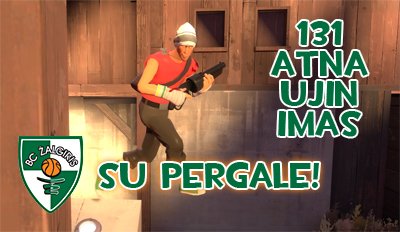
Atnaujinimas, išsprendžiantis daug problemų žaidėjams, kuriems TF2 įjungimo ar jungimosi į serverį metu „lūždavo“ žaidimas. Svarbu: reikia atlikti porą veiksmų, norint šias problemas išspręsti.
Atnaujinti: Mega, Elite, Medieval, Bball, Rage, No Crit ir Fun serveriai.
Problemų su žaidimų lūžiais sprendimas
Jeigu turėjote problemų dėl žaidimo jam startuojant, jums reikia patikrinti žaidimo failus. Atlikite šiuos veiksmus:
- Update your game to the most current version
- Right-click on the game and select "Properties"
- Click on the "Local Files" tab
- Click on the "Verify Integrity of Game Cache" button
Jeigu žaidimas „lūžta“ jungiantis į serverį, paleiskite žaidimą su "-autoconfig", kad atstatytumėt grafinius parametrus:
- Update your game to the most current version
- Right-click on the game and select "Properties"
- Click on the "General" tab
- Click on the "Set Launch Options..." button
- Add "-autoconfig" to the launch options and click OK
- Restart your game
- After doing this, you should remove -autoconfig from your launch options
TF2 Advanced menu
Pagaliau patobulintas TF2 „Advanced“ meniu: dabar jis tapo daug lengviau pasiekiamas ir papildytas paaiškinimais.
131 atnaujinimas
Protocol version 16
Exe version 1.1.5.0 (tf)
Exe build: 11:57:37 May 12 2011 (4569) (440)
Non-Steam žaidėjams: Norėdami žaisti Mega, No Crit, Elite, BBall, Medieval, Rage ir FUN serveriuose PRIVALOTE atsiųsti šį atnaujinimą.
Siųstis 131 KiberZona atnaujinimą
Pilnas pasikeitimų sąrašas:
131 atnaujinimas
Important notes
-
If you were previously crashing on startup, please have Steam verify the integrity of your game cache
- Update your game to the most current version
- Right-click on the game and select "Properties"
- Click on the "Local Files" tab
- Click on the "Verify Integrity of Game Cache" button
-
If you were previously crashing when connecting to a server, please run once with "-autoconfig" to reset your graphics state
- Update your game to the most current version
- Right-click on the game and select "Properties"
- Click on the "General" tab
- Click on the "Set Launch Options..." button
- Add "-autoconfig" to the launch options and click OK
- Restart your game
- After doing this, you should remove -autoconfig from your launch options
Source Engine Changes (CS:S, DoD:S, TF2, HL2:DM)
- Fixed several client crashes on game startup, shutdown, and replay interaction
- Updated the materials used on models to ignore the $ignorez flag, to make it harder to create wallhacks on sv_pure 0 servers
Team Fortress 2
- Added an Advanced Options button to the main menu to allow tweaking of many gameplay options
- Fixed server crashes related to replays and new items
- Added "per_class_loadout_slots" and "attribute_controlled_attached_particles" sections to the GetSchema WebAPI call
Undocumented changes
Updated localization files
- Komentuoti
- 7769 peržiūros
Re: 131 atnaujinimas
Užrašė Svečias - Sek, 2011/05/22 - 14:04.
kuo skiriasi remeber "active" ir "previous" weapon beetween lives?
Re: 131 atnaujinimas
Užrašė annoying - Pen, 2011/05/20 - 18:56.
Svety, skaityt išmok!
If you were previously crashing on startup, please have Steam verify the integrity of your game cache
Update your game to the most current version
Right-click on the game and select "Properties"
Click on the "Local Files" tab
Click on the "Verify Integrity of Game Cache" button
Re: 131 atnaujinimas
Užrašė Svečias - Pen, 2011/05/20 - 15:56.
Sikna o ne updeitas, iseinu is respo ir po 3s nuluzta zaidimas !!
Re: 131 atnaujinimas
Užrašė Marius - Pen, 2011/05/20 - 15:18.
Geras update. Turiu bedu su team fortress2. Kaip bandau uzseivinti yrasyta video man ismeta errora ir issijunge zaidimas. Nzn ka daryti plys help my.
Re: 131 atnaujinimas
Užrašė PressKey- - Pen, 2011/05/20 - 14:07.
"Idomiausia" video vieta.. 1:02 - 2:02 ^_^
Re: 131 atnaujinimas
Užrašė Svečias - Pen, 2011/05/20 - 10:24.
"STEAM validation rejected" po sito updeito, visuose serveriuose.
Re: 131 atnaujinimas
Užrašė yes - Ket, 2011/05/19 - 22:49.
SU PERGALE VISUS , beto labai geru dalyku yra advancede , nevisi rasdavo 





Re: 131 atnaujinimas
kodel kai noriu siustis updeita mane ismeta i cia http://www.tf2.lt/?q=content/nemokamas-tf2-visam-laikui kame problema?